BESTSELLERIN STOCK · UNLIMITED
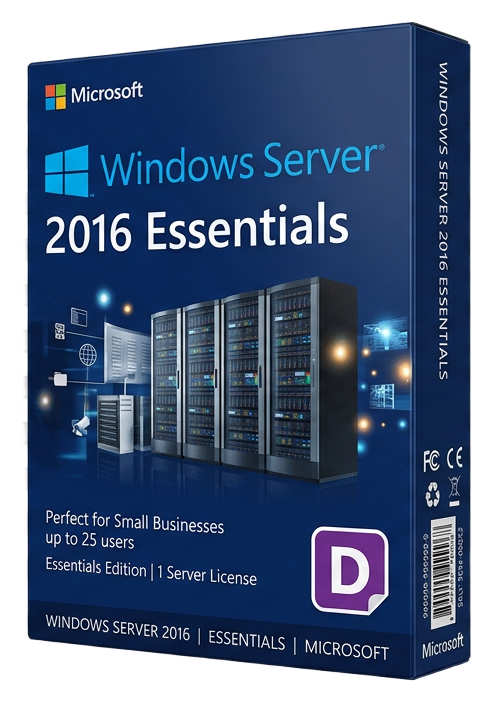
Windows Server 2016 Essentials
Microsoft · Lifetime
Term
Lifetime
Devices
1 device
Delivery
< 60 sec
Region
Worldwide
Overview
Windows Server 2016 Essentials is specifically designed for small businesses with up to 25 users and 50 devices that need a professional server platform without the complexity and cost of Standard or Datacenter editions. The key advantage: no Client Access Licenses (CALs) are required, eliminating the per-user licensing cost that makes larger editions expensive for small organizations. The Essentials Experience role provides a simplified management dashboard that consolidates the most common server administration tasks into a single, intuitive interface. From this dashboard, small business owners and part-time IT administrators can manage user accounts, configure backups, monitor server health, set up remote access, and integrate with cloud services — all without deep Windows Server expertise. Built-in backup covers both the server itself and connected client computers. Server backup creates scheduled, automated backups of the entire server to USB drives, network shares, or Azure Backup. Client computer backup automatically protects every connected workstation, with bare-metal restore capability that recovers an entire PC from a single backup image — invaluable when a laptop dies or ransomware strikes. Remote Web Access provides a secure web portal for accessing files, desktops, and applications from anywhere with a browser. VPN connectivity is configured through a guided wizard that sets up secure tunnels for remote workers without requiring networking expertise. DirectAccess provides always-on, transparent remote connectivity for domain-joined machines. Active Directory integration provides centralized user authentication, Group Policy for managing workstation settings, folder redirection for protecting user data on the server, and RADIUS authentication for secure Wi-Fi access. The server automatically configures DNS, DHCP, and certificate services during setup. Office 365 and Azure Active Directory integration connects your on-premises server with cloud email, SharePoint, and identity management. This hybrid capability lets small businesses leverage cloud services while maintaining a local file server and backup infrastructure. Licensed per physical server (2 CPU sockets maximum), Windows Server 2016 Essentials is the most affordable entry point into Microsoft's server ecosystem for small businesses that need reliable file sharing, backup, and user management.
Guides et articles connexes
Microsoft Office 2024 LTSC: The Last One-Time Purchase Office Suite?
Microsoft Office 2024 LTSC is the latest perpetual Office suite — but with Microsoft 365 dominating, is this the last standalone version?
Read moreThe Complete Guide to Choosing the Right Microsoft Office Edition
Office Home, Business, Professional, or 365? This guide helps you pick the right Microsoft Office edition for your needs and budget.
Read moreWhere to Buy the Cheapest Microsoft Office 2024 License (Legitimately)
Find the best deals on genuine Microsoft Office 2024 licenses. Compare editions, pricing, and where to buy safely at the lowest price.