BESTSELLERIN STOCK · UNLIMITED
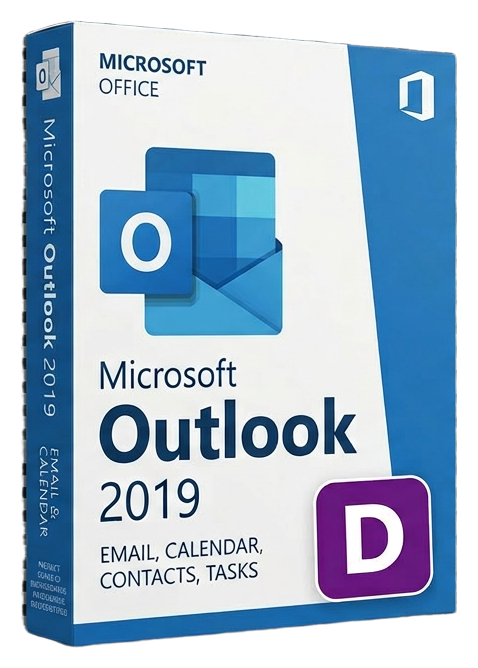
Microsoft Outlook 2019
Microsoft · Lifetime
Term
Lifetime
Devices
1 device
Delivery
< 60 sec
Region
Worldwide
Overview
Microsoft Outlook 2019 is the standalone edition of Microsoft's flagship communication and personal information management application. Far more than an email client, Outlook 2019 unifies email, calendar, contacts, tasks, and notes into a single integrated workspace that millions of professionals depend on to manage their daily workflow. The email experience in Outlook 2019 is built for volume. Focused Inbox uses machine learning to automatically separate important messages from newsletters, automated notifications, and low-priority mail — ensuring that critical communications never get buried. @Mentions let you tag colleagues directly in email threads, automatically flagging the message for their attention and adding it to their to-do list. Read receipts, delivery confirmations, and message recall give you visibility and control over sent communications. Outlook 2019 introduces updated contact cards that pull together communication history, organizational charts, and files shared between you and each contact in one glanceable view. The People Pane surfaces recent emails, meetings, and attachments associated with any contact, eliminating the need to search through archives for context before a meeting. The calendar in Outlook 2019 handles complex scheduling scenarios with ease. Side-by-side calendar overlay lets you view personal and work calendars simultaneously. Room Finder suggests available meeting rooms when creating events. Time zone support displays meetings in local time when traveling, and scheduling assistant shows free/busy status for all attendees, making finding mutual availability effortless. For task management, Outlook 2019 includes integrated to-do flags that turn emails into actionable items with due dates and reminders. The Tasks view aggregates flagged messages, calendar items, and manually created tasks into a unified productivity dashboard. Categories and color coding provide visual organization across all Outlook items. Outlook 2019 connects to Exchange Server, Microsoft 365, Outlook.com, Gmail, Yahoo, and IMAP/POP email servers. It supports S/MIME encryption, digital signatures, and Information Rights Management (IRM) for secure communications in regulated industries. The offline mode ensures full access to your email, calendar, and contacts even without an internet connection, with automatic synchronization when connectivity resumes. As a perpetual license, Outlook 2019 provides a one-time purchase with no recurring fees — ideal for professionals and organizations that prefer the stability and predictability of owned software.
Verwandte Ratgeber & Artikel
Microsoft Office 2024 LTSC: The Last One-Time Purchase Office Suite?
Microsoft Office 2024 LTSC is the latest perpetual Office suite — but with Microsoft 365 dominating, is this the last standalone version?
Read moreThe Complete Guide to Choosing the Right Microsoft Office Edition
Office Home, Business, Professional, or 365? This guide helps you pick the right Microsoft Office edition for your needs and budget.
Read moreWhere to Buy the Cheapest Microsoft Office 2024 License (Legitimately)
Find the best deals on genuine Microsoft Office 2024 licenses. Compare editions, pricing, and where to buy safely at the lowest price.