BESTSELLERIN STOCK · UNLIMITED
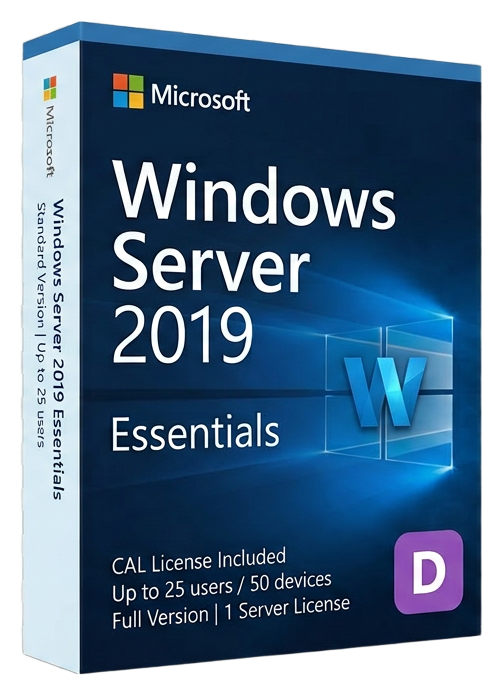
Windows Server 2019 Essentials
Microsoft · Lifetime
Term
Lifetime
Devices
1 device
Delivery
< 60 sec
Region
Worldwide
Overview
Windows Server 2019 Essentials is the final standalone Essentials edition from Microsoft, purpose-built for small businesses with up to 25 users and 50 devices that need a professional server without per-user licensing costs. Building on the foundation of Server 2016 Essentials, this release adds deeper Azure integration, improved security, and the performance improvements of the Server 2019 platform. The zero-CAL licensing model remains the defining advantage. Every user and device in your organization — up to 25 users and 50 devices — is covered by the single server license. There are no additional Client Access Licenses to purchase, track, or manage. This dramatically simplifies licensing for small businesses and eliminates the risk of compliance issues from miscounted CALs. Azure integration in Server 2019 Essentials goes significantly further than its predecessor. Azure Backup provides offsite cloud backup with geo-redundant storage, protecting your data against local disasters. Azure Site Recovery enables disaster recovery to Azure, letting you fail over your entire server to the cloud within minutes. Azure File Sync extends your on-premises file server to Azure, providing cloud tiering that keeps frequently accessed files local while archiving older files to Azure storage. The Essentials Experience dashboard has been refined with improved health monitoring, alert management, and remote access configuration. The dashboard provides a single-pane-of-glass view of server health, backup status, storage utilization, and connected device status. Launchpad on client computers gives end users self-service access to shared folders, remote desktop, and backup management. Security improvements include Windows Defender Advanced Threat Protection (ATP) for server workloads, enhanced event logging for security forensics, and improved TLS 1.3 support. Storage Migration Service helps organizations migrate file shares from older servers (including Linux Samba shares) to Server 2019 with a guided wizard that preserves permissions, share names, and ACLs. As the last dedicated Essentials edition, Server 2019 Essentials represents the end of an era. Starting with Server 2022, Microsoft merged Essentials functionality into the Standard edition as the "Essentials Experience" role. For organizations that want the simplicity and cost-effectiveness of a dedicated small business server product, Server 2019 Essentials is the definitive choice.
Verwandte Ratgeber & Artikel
Microsoft Office 2024 LTSC: The Last One-Time Purchase Office Suite?
Microsoft Office 2024 LTSC is the latest perpetual Office suite — but with Microsoft 365 dominating, is this the last standalone version?
Read moreThe Complete Guide to Choosing the Right Microsoft Office Edition
Office Home, Business, Professional, or 365? This guide helps you pick the right Microsoft Office edition for your needs and budget.
Read moreWhere to Buy the Cheapest Microsoft Office 2024 License (Legitimately)
Find the best deals on genuine Microsoft Office 2024 licenses. Compare editions, pricing, and where to buy safely at the lowest price.